Internal · Franchise Development

THE HUBSPOT SYSTEM,
END TO END.

Every video here walks one piece of the machine that turns an inquiry into a franchisee. Watch them in order, or jump straight to what you need.

Start Here

ONE PRINCIPLE RUNS THE WHOLE BUILD.

This is the guiding principle behind the entire build. Understand it and everything gets easier: optimizing, troubleshooting, and adding new initiatives. It looks simple on the surface, then layers up as the automations get more complex.
HubSpot+Overview-20260629_101602-Meeting+Recording_60073394
Forms
Embedded HubSpot capture
BUILD
Contacts
Created on unique email, carry properties
ADDED TO
Segments
Filtered by properties
DRIVE
Workflows
Automation engine
DRIVE
Sequences
1:1 candidate outreach
DRIVE
Deal Automation
Stage progression through the MEG
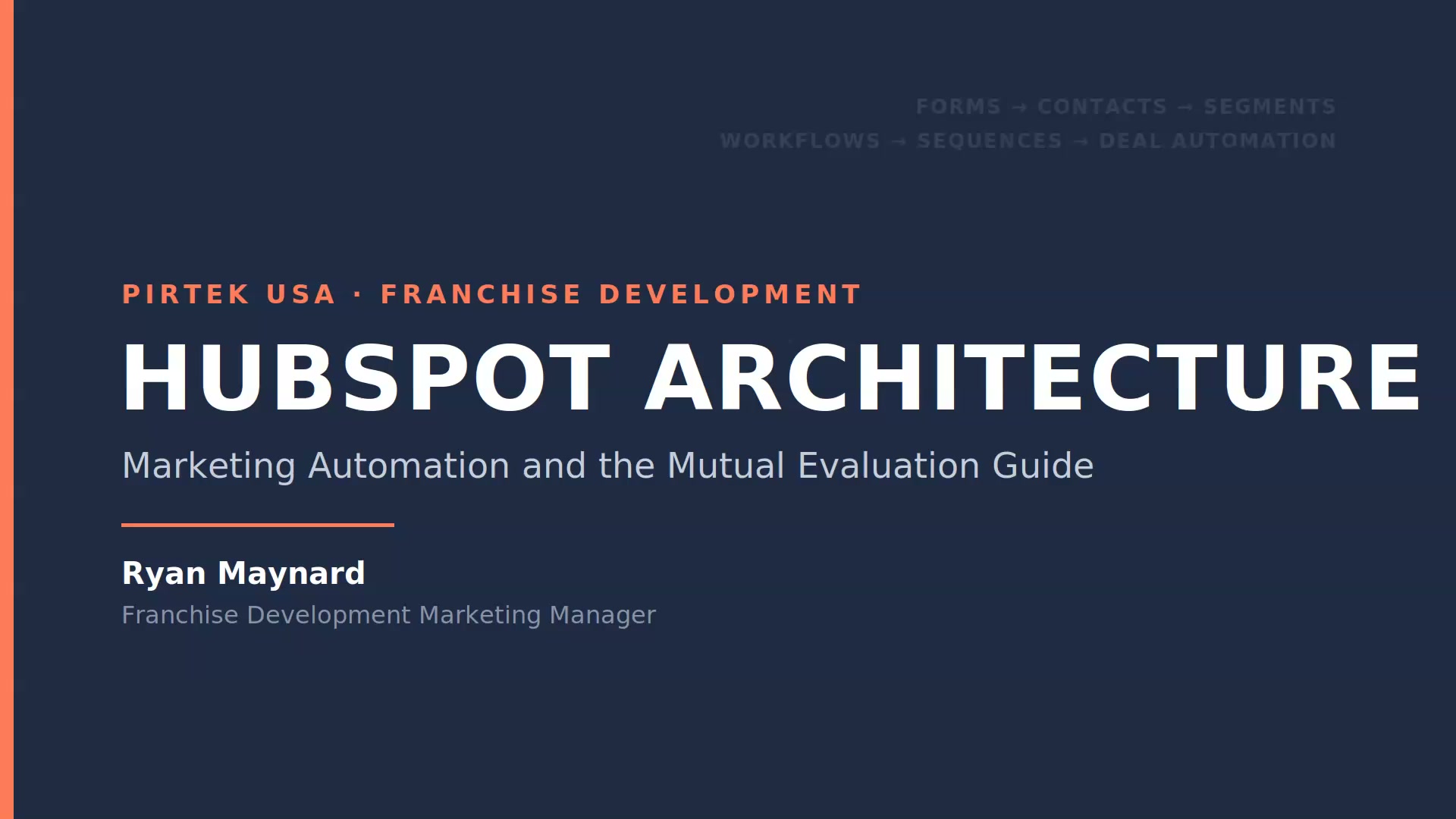
PIRTEK FranDev - HubSpot Architecture
Forms build contacts. Contacts get added to segments. Segments drive the workflows.
And the workflows decide what happens to every contact and deal next. Internalize that one chain and optimizing, troubleshooting, or building something new all get easier.
That last link, deal automation, keys off one field: the deal stage, the source of truth. Every deal travels the same ordered path, the fourteen MEG stages across three phases, from the first call to a signed franchisee. How much of that path the automation actually runs is the story of the full breakdown below.

01
The Front Door

NEW LEAD SEQUENCE

Sequences are the backbone of the whole system. This one runs without anyone lifting a finger. A candidate submits the form, we confirm they belong in Franchise Development, and the first email goes out inside five minutes. Then the developer gets a task to call. This is how new candidates land in a developer's pipeline.

New+Lead+Sequence+and+Outreach+Cadence_60073374
Properties that drive this workflow
Segment membershipTrigger
Enrolls the contact the moment it joins Lead Engagement Automation Enrollment.
Contact ownerSet
Assigned to Ariana Rodriguez at step 1, before anything else fires.
Lead StatusRead + Set
Runs the branch. Unknown leads get stamped FD: NEW; FD: In Progress skips the qualifier reach-out.
Enrollment Trigger
Contact is added to the segment Lead Engagement Automation Enrollment.
Re-enroll off
+
1 · Edit record
Set Contact owner to Ariana Rodriguez.
+
2 · Delay
Wait 5 minutes.
Lets the system settle before it acts.
+
3 · Branch
Check branches in order, splitting on lead status.
1Lead Status Known
Lead Status Known
4 · Branch
No Qualifier Reach-Out if Lead Status is FD: In Progress
If FD: In Progress
No Qualifier Reach-OutBroker-direct. Developer owns outreach.
End
Else
6 · Enroll
New Lead: Appointment Settingfrom Contact owner
End
2National Account
National Account
Lead Status is National Accounts
End · Safeguard
3Lead Status Unknown
Lead Status Unknown
5 · Edit record
Set Lead Status to FD: NEW
7 · Enroll
New Lead: Appointment Settingfrom Contact owner
End
The complete enrollment workflow, branch for branch.
02
After the Deal Is Created

BEGINNING OF A DEAL

Once the deal exists, the old way piled on work. A second manual call to re-cover the MEG, chasing paperwork, fielding the same territory and FDD questions. This video shows what the system does instead, and what that hands back to the team.

Mutual+Evaluation+in+Franchise+Development+Pipeline_60073381
Why it matters
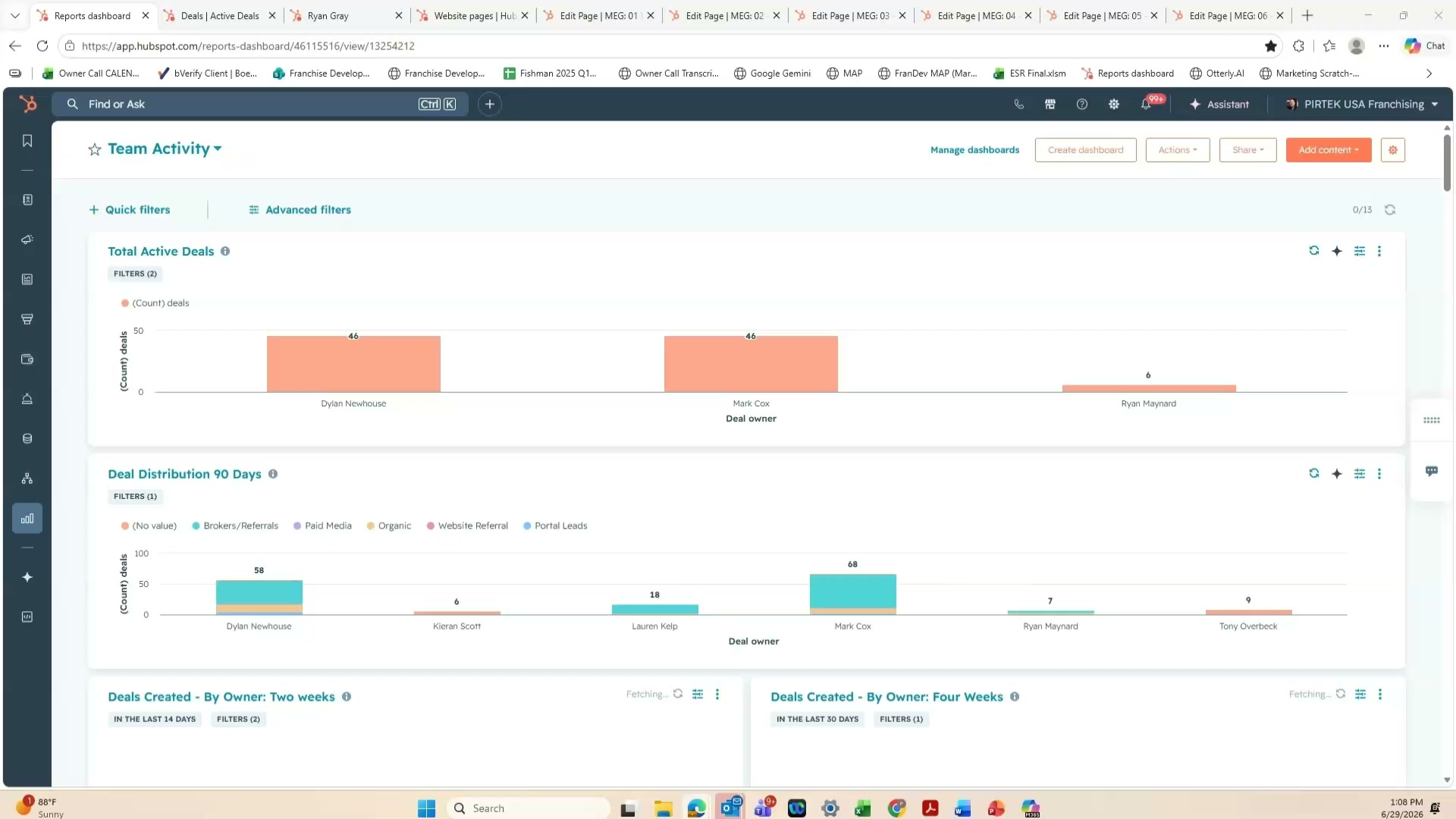
92 active deals. Forty-six each across Mark and Dylan, right now.
About 96 hours saved. Over an hour per candidate, on the early stages alone.
Less busywork. Developers spend time on the candidates most likely to move forward.
Properties that drive these stages
Deal stageRead + Set
The source of truth. It walks Diagnose → Brand Overview → QS Received.
Next Steps - A Lead?Hinge
The front-half hinge. Yes grades the candidate an A-Lead and advances to Brand Overview.
Diagnose Call No ShowSet
Routes to the no-show path: unenrolls, sets the no-show stage, starts the no-show sequence.
Contact ownerRead
The anchor across every stage, and the MEG email sender.
Candidate Submissions: QSFile · Moved
The uploaded Qualification Summary, copied onto the deal record.
QS Filled Out DateSet
Stamped when the QS lands. It times the QS Received email.
Manual · Ariana
Ariana creates the deal record
No workflow opens the deal. It lands at Diagnose Call Scheduled, and the deal stage drives everything after.
Stage 1Diagnose Call Scheduledbooked from New Lead
Fires
Send "What to Expect"
MEG Emails: 01 - What To Expect
Welcome email with the portal link, then a task pauses the sequence for the call.
Open ↗
Exception · No-show
Handle the no-show
Diagnose Call No Show
If the call is missed: unenroll, set stage to Diagnose Call No Show, start the No Show sequence.
Open ↗
On the call · developer
Runs the diagnose call, fills the WHO / WHERE / WHEN / HOW / WHY discovery fields, and sets A Lead?
If A Lead? = Yes
HingeGraded an A-Leadadded to A-Leads list
Fires
Stamp the A-Lead date
MEP Automation: A Lead Date
Sets Became 'A' Lead to today.
Open ↗
Fires · advances stage
Advance to Brand Overview
MEP Automation: Brand Overview - Enrollment Trigger
The cross-object advance: writes the deal stage to Brand Overview Sent.
Open ↗
Stage 2Brand Overview Sentpresentationscheduled
Fires
Send the Brand Overview
MEG Emails: 02 - 05 - Brand Overview
The Brand Overview video email, then a one-business-day follow-up.
Open ↗
Fires
Capture the debrief date
Brand Overview Meeting Date and Time
When the call books, sets the Brand Overview Debrief date and time.
Open ↗
Fires · +4 days
Nudge the QS
Reminders - QS 4 days after Brand Overview
Four days later, enrolls a reminder sequence prompting the Qualification Summary.
Open ↗
Candidate
Watches the Brand Overview, then fills the Qualification Summary.
Stage 3QS Receivedthe fan-out
Trigger · Form submission
Qualification Summary submitted
Fires in parallel · six workflows
Fires · advances stage
Advance to QS Received
QS: MEP - Review Sequence
Sets the deal stage to QS Received.
Open ↗
Fires
Set owner & stamp date
QS Contact owner
Copies Contact owner to QS Submission Owner, stamps QS Filled Out Date.
Open ↗
Fires
Notify & create task
Form Submission Notifications: QS
Internal email and a task to attach the file.
Open ↗
Fires
Generate the PDF
QS: PDF - Submission (cloned)
Depositfix renders the Qualification Summary PDF.
Open ↗
Fires
Copy QS to the deal
Move QS To Deal Record
Copies the QS file onto the associated deal.
Open ↗
Fires · +7 min
Send the QS Received email
MEG Emails: 06 - QS Received
Waits 7 minutes, enrolls the QS Received-to-Funding email.
Open ↗
03
The Back Half

LATER DEAL STAGES

The back half is hands-on. This covers the mid and late stages, how candidate files stay organized up to the VP approval call, and the development action plan that keeps a candidate on track.

Franchise+Development+Pipeline+Automation+Review_60073387
What this covers
The development action plan. The timeline tool that runs the late stages.
VP approval call. A required stage that works when the pipeline stays clean.
Why some automation is off. Without stage discipline, emails fire at the wrong time.
04
For the Team Lead

TERRITORY CHECKS & BROKERS

Territory checks run on their own ticket pipeline. This shows how to work one in the portal, set its disposition, and tie it back to the candidate, plus the time-to-close view that lets a leader keep the team accountable.

Territory+Checks+and+Broker+Tracking+Overview_60073393
What this covers
The ticket pipeline. Reply in the portal, then set the status to the outcome.
Correlate the contact. Tie each check to the candidate to track activity.
Time to close. A leadership view of how fast the team responds.
Properties that drive this stage
Ticket statusRead + Set
The disposition. New → Assigned → Not Responded; the assignee sets the outcome.
Design: Territory - Accepted?Gate
Must be Yes before the VP Call. The gate out of validation.
Preferred Territory City / StateRead
The candidate's requested market, captured back on the Diagnose call.
Candidate Submissions: Territory MapsFile
The maps shared one-on-one with the candidate.
Separate pipeline
Territory runs on its own tickets
Not the deal pipeline. A territory check is a ticket, routed, worked, and closed on the side.
Trigger · Ticket created
Territory check ticket · status New
Fires
Route & assign the ticket
Territory Checks: Assignment
Branches on preferred-broker emails, routes to one owner or round-robins two, waits 3 minutes, notifies them, sets status Assigned, creates a task.
Open ↗
Fires · +24h
Chase a stalled ticket
Territory Check - 24 Hour Notice
If it sits in Assigned for 24 hours, sets status Not Responded and creates an urgent task for Ariana.
Open ↗
The assignee
Works the check in the portal, sets the disposition, ties it back to the candidate, and marks Territory Accepted?
05
For the Leader

DEVELOPER SCORECARDS

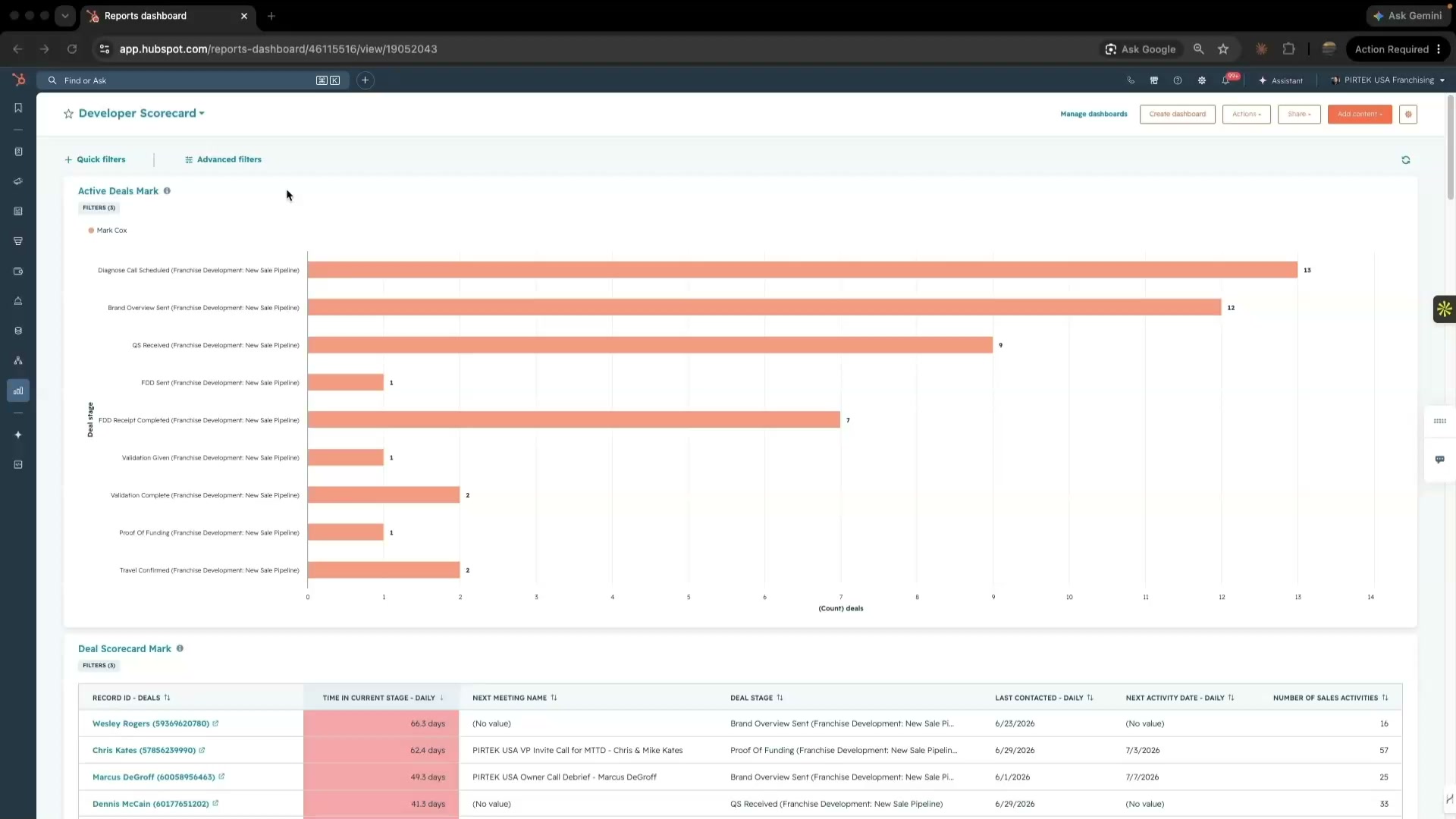
The scorecard is the management tool. It shows each developer's pipeline health at a glance, flags every deal stuck in a stage too long, and surfaces the hot leads sitting with no next step. You run it in your weekly one-on-ones. And because the developers know exactly what you measure, they clean up their own pipelines before the meeting ever starts.

Ryan+Maynard_60073417
Properties that drive this scorecard
Deal ownerFilter
Every report slices by this. Add a developer by cloning a report and changing the Deal owner filter.
Deal stagePipeline
Pipeline health at a glance. It's how you spot a front-loaded pipe versus a healthier middle-loaded one.
Time in current stageCalculated
Flags deals that have gone cold. Red at 14+ days in the same stage.
Activity fieldsAuto-tracked
Last activity, Next activity, and Sales activities (calls, emails, meetings, texts). They power the no-next-activity and time-since reports.
Deal resurrect playbookAction
The one lever, not just a readout. Set it to Yes and the deal goes back to Ariana with tasks to re-book.
06
The As-Built Record

THE BUILD DOCUMENTATION

The construction record for the entire system. Sixty-four workflows, the property dictionary, the known issues, and the decisions waiting for the next owner. This video walks you through how to read it, then the document itself is yours to keep.

Video · HubSpot embed
Inside the doc
14-stage pipeline and the full property dictionary.
All 64 workflows, 48 live and 16 off, grouped by job.
Known issues and open decisions. Read these first.
Open the Build Documentation
The Whole System, End to End

THE COMPLETE BREAKDOWN

The whole candidate journey on one screen. Open any stage to see both sides at once: the page and email the candidate gets, and the workflows and health underneath. The build-side walkthrough lives in the Build Documentation above.

Long video · the candidate journey, MEG end to end · filming next
The fourteen stages
RunningPartialDark / manual